「AIにたくさん言及されている」だけでは、実は不十分なケースがあります。顧客が課題に気づいた直後の質問(ToFU)と、導入直前に比較検討している質問(BoFU)では、AIに求められる紹介の仕方が違うためです。クエリ改善では、各クエリにToFU(Top of Funnel)・MoFU(Middle of Funnel)・BoFU(Bottom of Funnel)のいずれかのファネル区分を設定できるため、「まずは認知を広げたい」「比較段階のお客様に選ばれたい」「導入直前のお客様を後押ししたい」など、狙いたい検討段階を指定してAI上での見え方を対策できます。
"Is our company's name actually coming up when AI gets asked about it? And which page is it basing its answer on?"
Genview's Query Improvement lets you answer that question with numbers. For each target question (query), it checks whether ChatGPT, Gemini, Claude, Perplexity, and Grok — five AIs — actually mention and reference your company, model by model. For any query that isn't being mentioned or referenced, it goes further and provides a concrete, page-specific improvement plan. Instead of guessing whether you're being cited by AI, you get the numbers, plus a clear path from "what needs fixing" to "how to fix it."
The PDCA cycle behind Query Improvement
Genview's Query Improvement isn't just a feature for measuring how often you're mentioned by AI.
It's a feature that grows the number of queries where you're correctly mentioned and referenced, one at a time, by repeating the cycle: assess the current state → identify the cause → act → graduate.
Strength 1: Measure all five AIs at once
You can measure ChatGPT, Gemini, Claude, Perplexity, and Grok's answers together, query by query.
Different AIs draw on different information and give different answers, so checking just one AI can't tell you where you stand across AI search as a whole. Genview lets you compare all five AIs side by side on one screen, so you can see at a glance which ones are mentioning and referencing you — and which ones still need work.
Strength 2: See not just whether you're named, but whether you're properly referenced
Whether your name shows up in an AI's answer doesn't tell you whether AI actually treats you as a trustworthy source. Genview breaks this down into four distinct signals:
Mention: the registered brand or service name appears in the AI's answer
Reference: the registered URL of your site appears in the AI's answer
Misrepresentation: the AI describes your company in a way that doesn't match the facts
Match: both a mention and a reference are confirmed
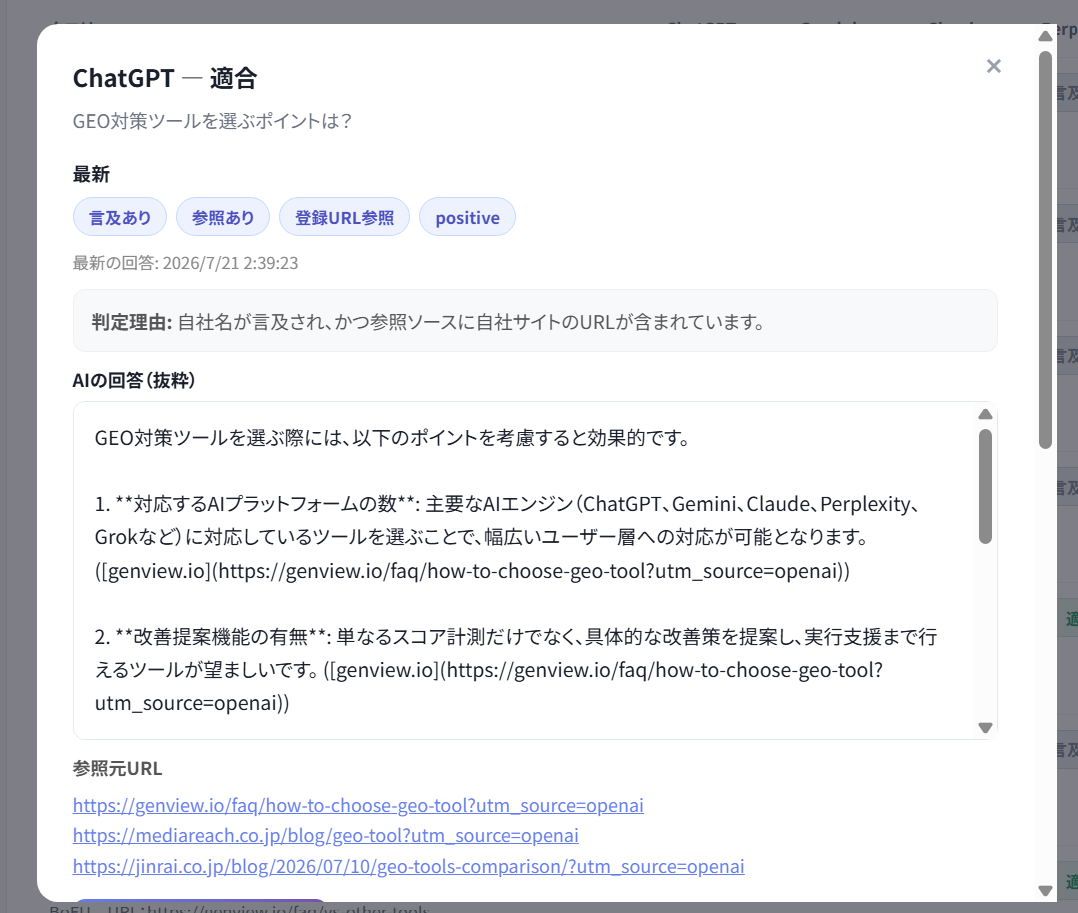
The strength here is being able to check more than the surface-level fact of "your name came up" — you can also see which page is being used as the basis, and whether the description is accurate. Note that even when a misrepresentation occurs, the reference itself is still counted in the reference total.
Strengths 3 & 4: Page-specific fixes anyone can act on, no expertise required
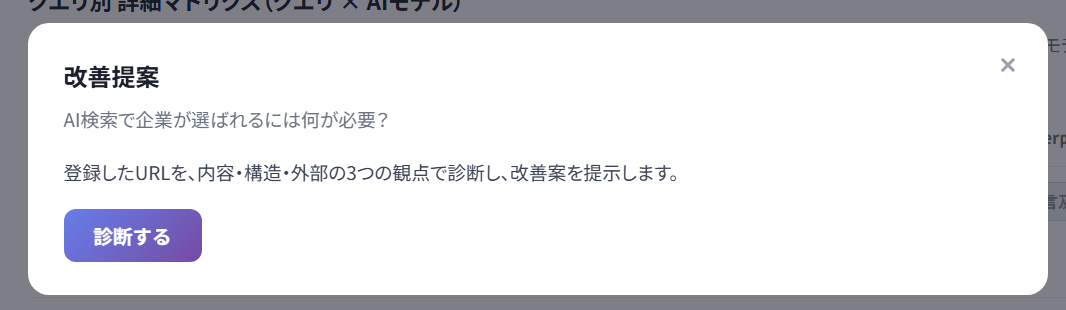
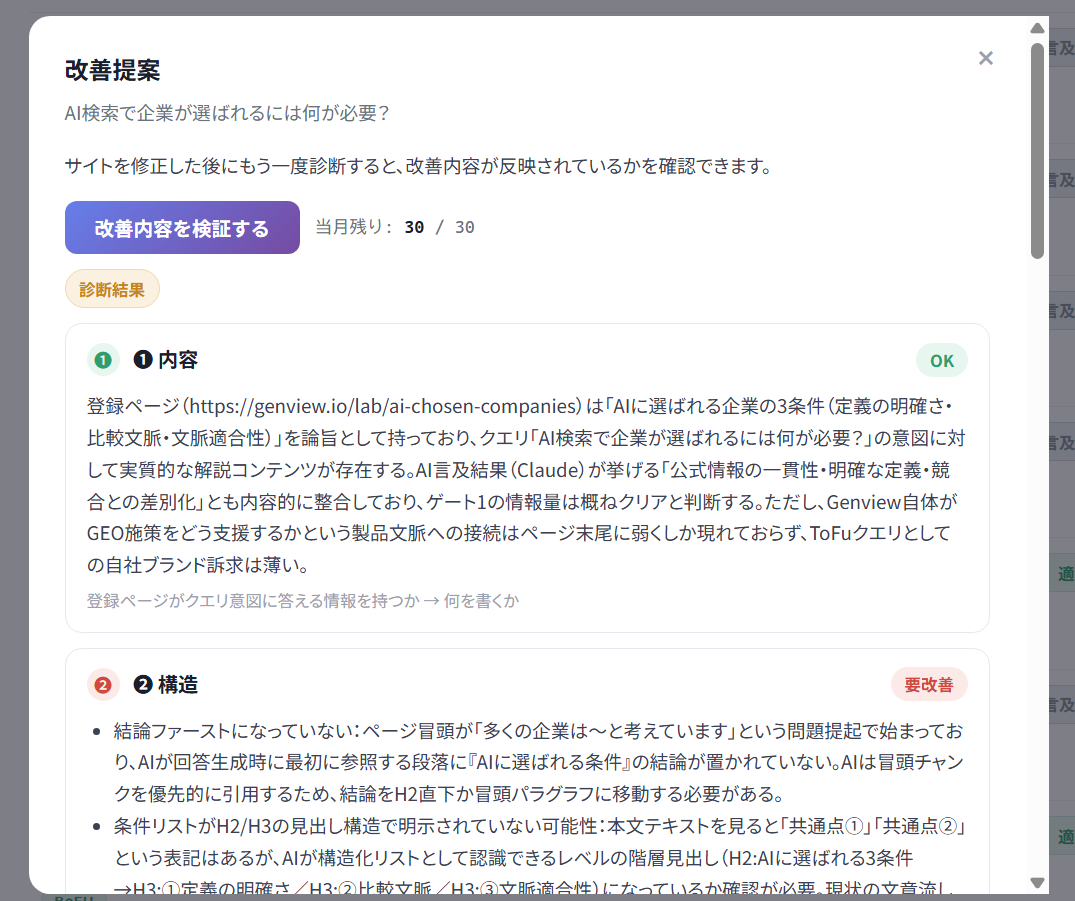
Genview doesn't stop at showing your mention and reference status. For any query that needs work, the "Improvement Suggestions" button shows you exactly what to do.
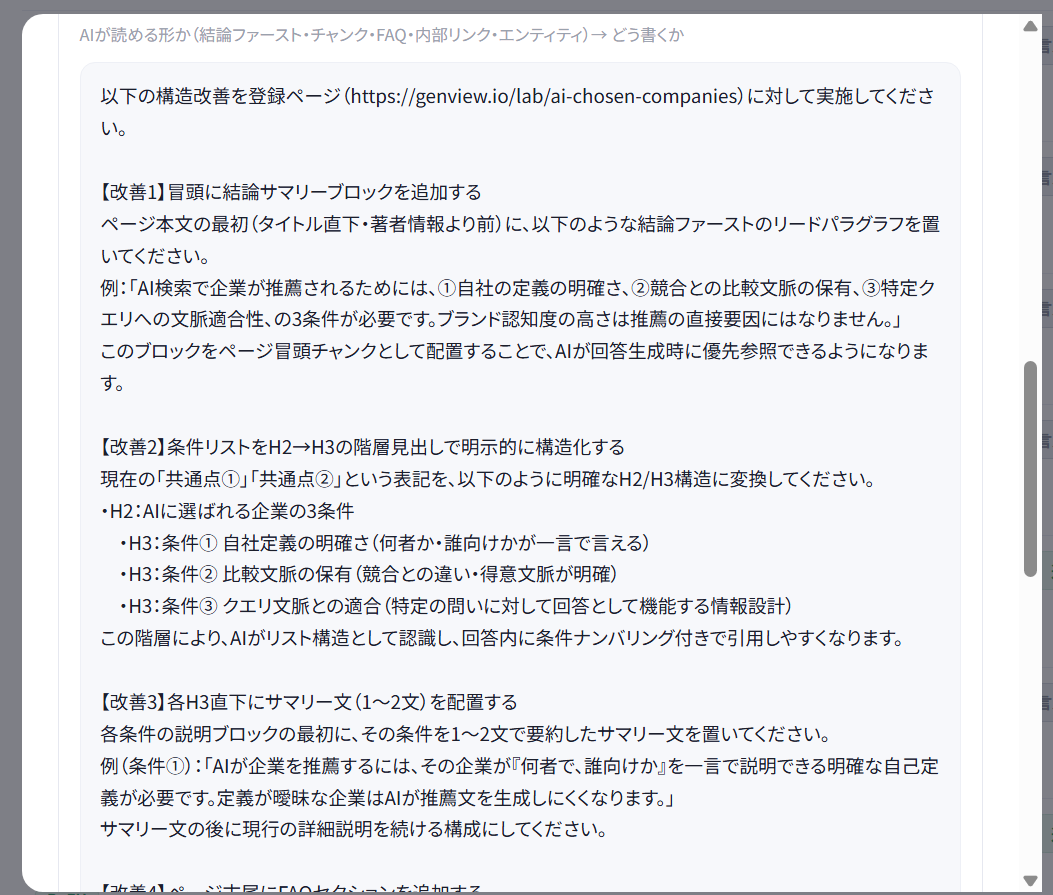
Improvement Suggestions reviews the content and structure of the registered target URL, and analyzes what's missing relative to the query's search intent. In practice, the suggestions are mostly text-level fixes like these:
Add a paragraph that states the conclusion up front
Add a heading and explanation that directly addresses the query's search intent
Add an FAQ-style question and answer
Spell out relevant keywords and qualifying conditions in the text
Reorganize the writing into a structure that's easier for AI to extract
Because the fixes are mostly about rewriting text and reorganizing headings rather than editing code or making system changes, you can handle them yourself with no technical expertise. And these aren't generic suggestions — they're page-specific, based on an actual review of the content at your registered URL.
Genview's improvement cycle: graduating a query
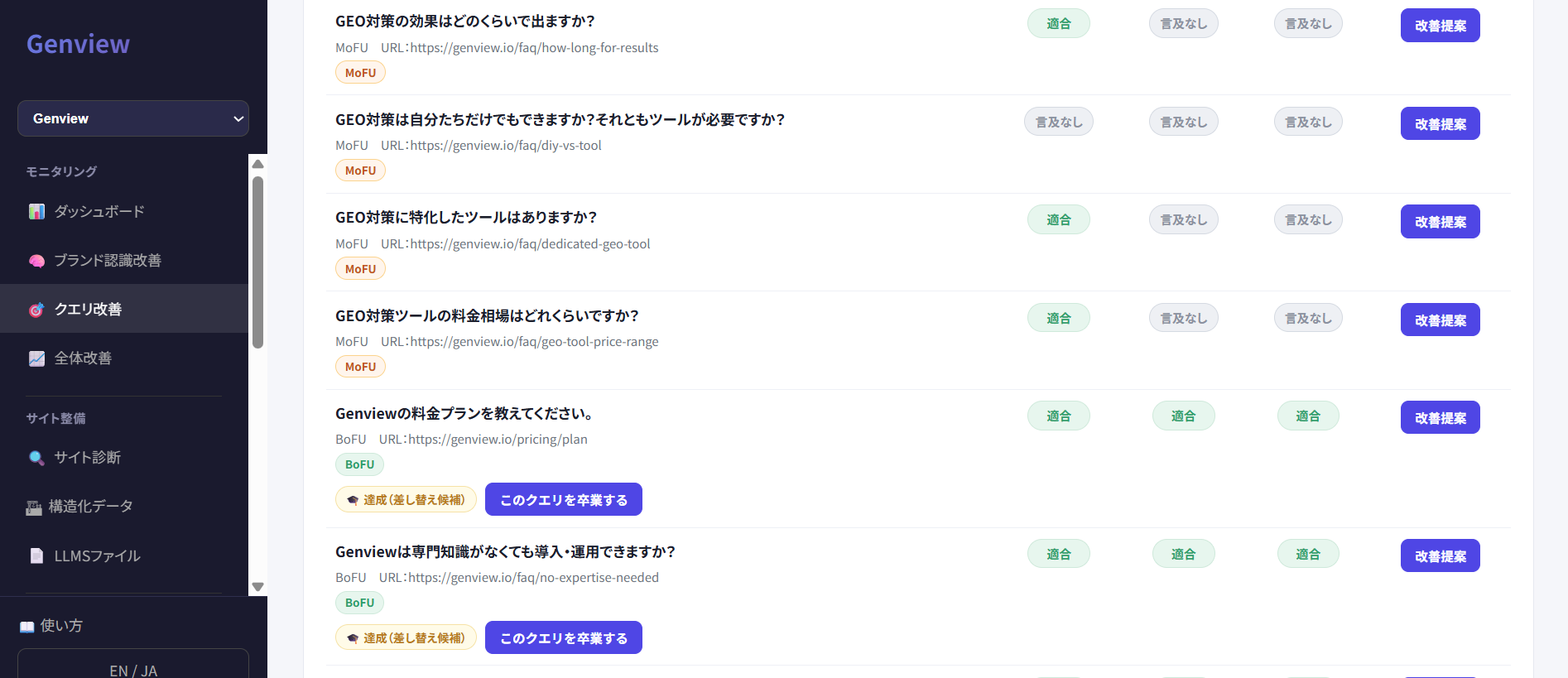
Genview treats any query where both mention and reference are confirmed across all five AIs as "graduated (eligible for replacement)."
By swapping a graduated query's measurement slot for a new query, you move on to the next area that needs attention instead of continuing to monitor a query that's already succeeded. Graduated queries are not measured again afterward, so if you want to check on one later, register it again as a new query.
The basic idea behind Genview's Query Improvement is to keep repeating the cycle — assess the current state → identify the cause → act → graduate — and grow the number of queries where you're correctly mentioned and referenced, one at a time. Rather than an ever-growing list of queries to manage, graduated queries free up their slot for the next area to tackle, so you can steadily expand your coverage even with limited operational resources.
Funnels (ToFU–BoFU): target the exact stage of buyer you want to reach
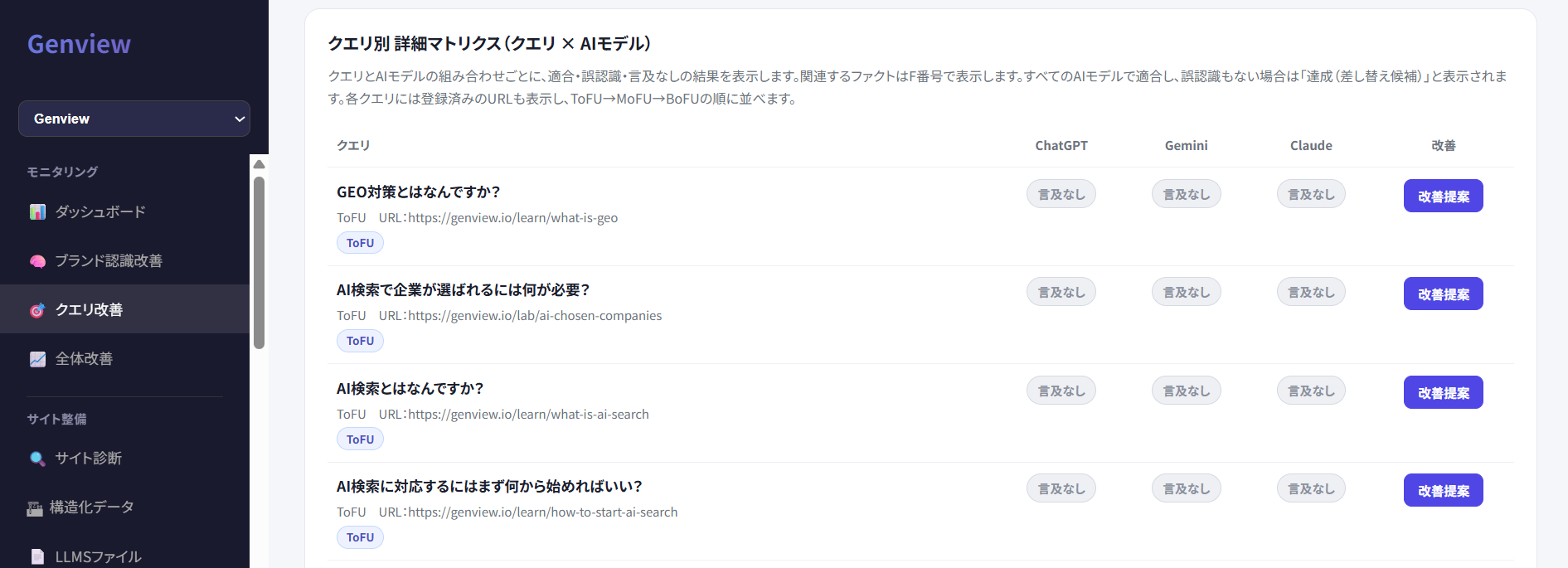
Being mentioned by AI a lot isn't always enough on its own. A question from someone who's just noticed a problem (ToFU) calls for a different kind of introduction than a question from someone comparing options right before making a decision (BoFU). Query Improvement lets you assign each query a funnel stage — ToFU (Top of Funnel), MoFU (Middle of Funnel), or BoFU (Bottom of Funnel) — so you can target exactly the buying stage you care about, whether that's "build awareness first," "get chosen at the comparison stage," or "push someone over the line right before they decide," and manage how you show up in AI accordingly.
ToFU: exploring a problem or possible solutions (e.g., "How do I improve X?")
MoFU: comparing specific options (e.g., "Which is better, X or Y?")
BoFU: close to deciding (e.g., "Which X would you recommend?")
Graduating queries only at the ToFU stage, or only at the BoFU stage, still leaves you showing up for just one part of the buyer's journey. By graduating queries in a good balance across all three funnel stages, you can aim for a state where you show up as an option no matter when a buyer asks AI.
A screen where the numbers are obvious to anyone
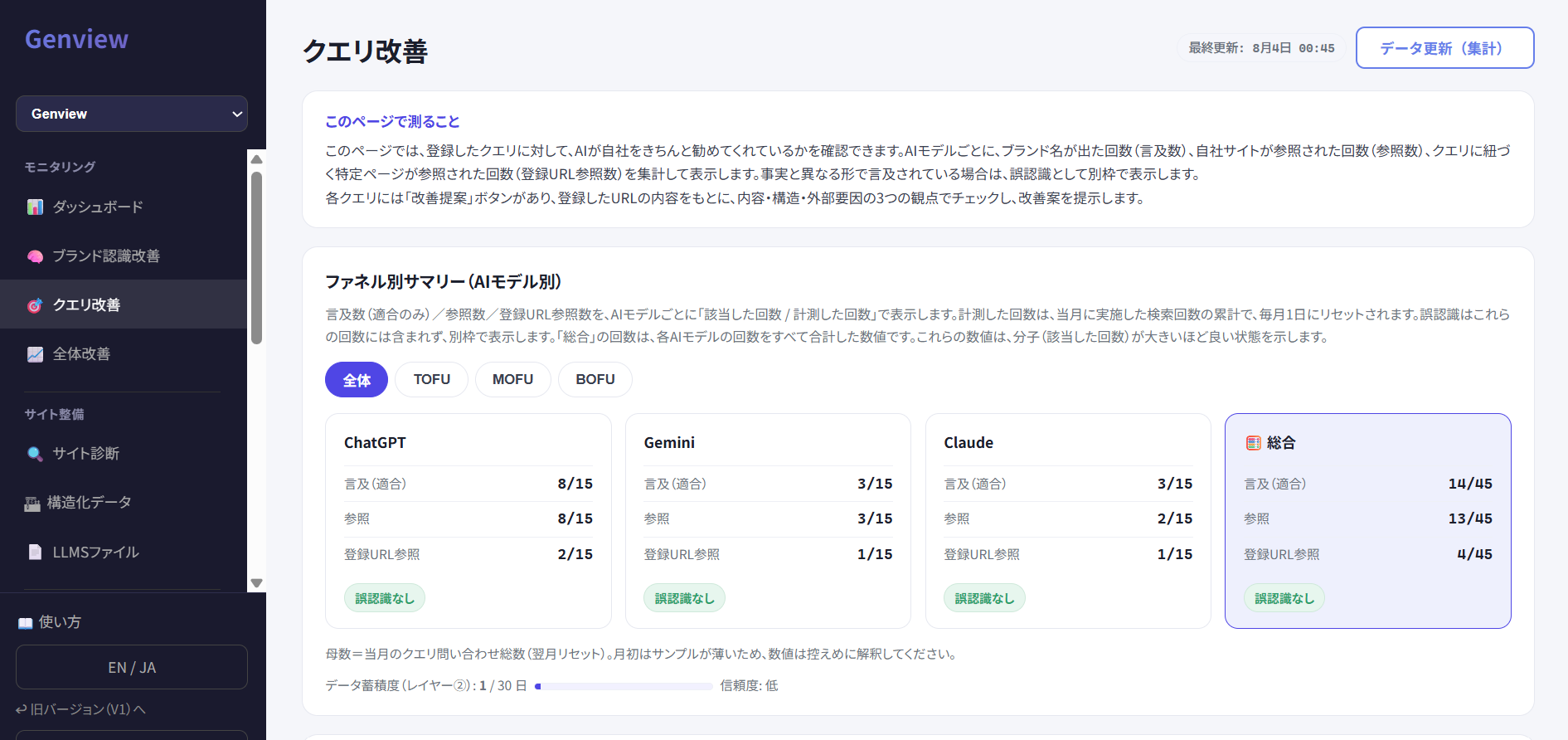
Mentions, references, and registered-URL references are all shown per AI model (ChatGPT, Gemini, Claude, Perplexity, Grok) as "times matched / times queried." You can also switch between funnel views (ToFU / MoFU / BoFU), see a detailed matrix listing each AI model's verdict per query (match / misrepresentation / no mention), and review the history of graduated queries — all from the dashboard. Everything is presented as simple lists with tab switching, so you can find what you need intuitively without any specialist knowledge.
For a detailed walkthrough of the screen and the finer points of each item, see the "How to use" page after logging in.
Who this is for
Marketing managers / executives / web managers / PR and communications staff / agencies
FAQ
Q1. What can Query Improvement check?
For each registered query, you can check per AI model whether your company is mentioned and referenced in AI's answers. It tallies and displays how many times your brand name appeared (mentions), how many times your site was referenced (references), and how many times a registered URL was referenced (registered-URL references).
Q2. What is a "misrepresentation"?
It's when AI describes your company in a way that doesn't match the facts. Misrepresentations aren't counted in the mention or reference totals — they're shown separately.
Q3. What does it mean for a query to "graduate"?
It means a registered query has reached a match — both mention and reference — across all five AIs: ChatGPT, Gemini, Claude, Perplexity, and Grok. Once that happens, it's treated as "graduated (eligible for replacement)": the work on that query is considered complete, and its slot can be swapped for a new query. Graduated queries aren't measured again afterward, so if you want to check on one later, please register it again as a new query.
Q4. Do I need specialist knowledge to act on the improvement suggestions?
Basically, no. Improvement Suggestions reviews the content and structure of the registered target URL and analyzes what's missing relative to the query's search intent. In practice, the suggestions are mostly text-level fixes — adding a conclusion-first paragraph, adding a heading block that matches the query's intent, adding an FAQ-style section, spelling out relevant keywords in the text, and similar changes. Since it doesn't involve editing code or making system changes, you can handle it yourself with no specialist knowledge.
Q5. Where can I find out how to register a query and the detailed setup steps?
For how to register a query and the detailed setup steps, please see the "How to use" page after logging in.