The GEO Score tells you how AI is introducing your brand. GA4 Integration answers what comes next — how many people actually arrived from AI. Together, they connect recognition with real-world results.
Pro plan only
GA4 Integration is available on the Pro plan.
What GA4 Integration shows you
①
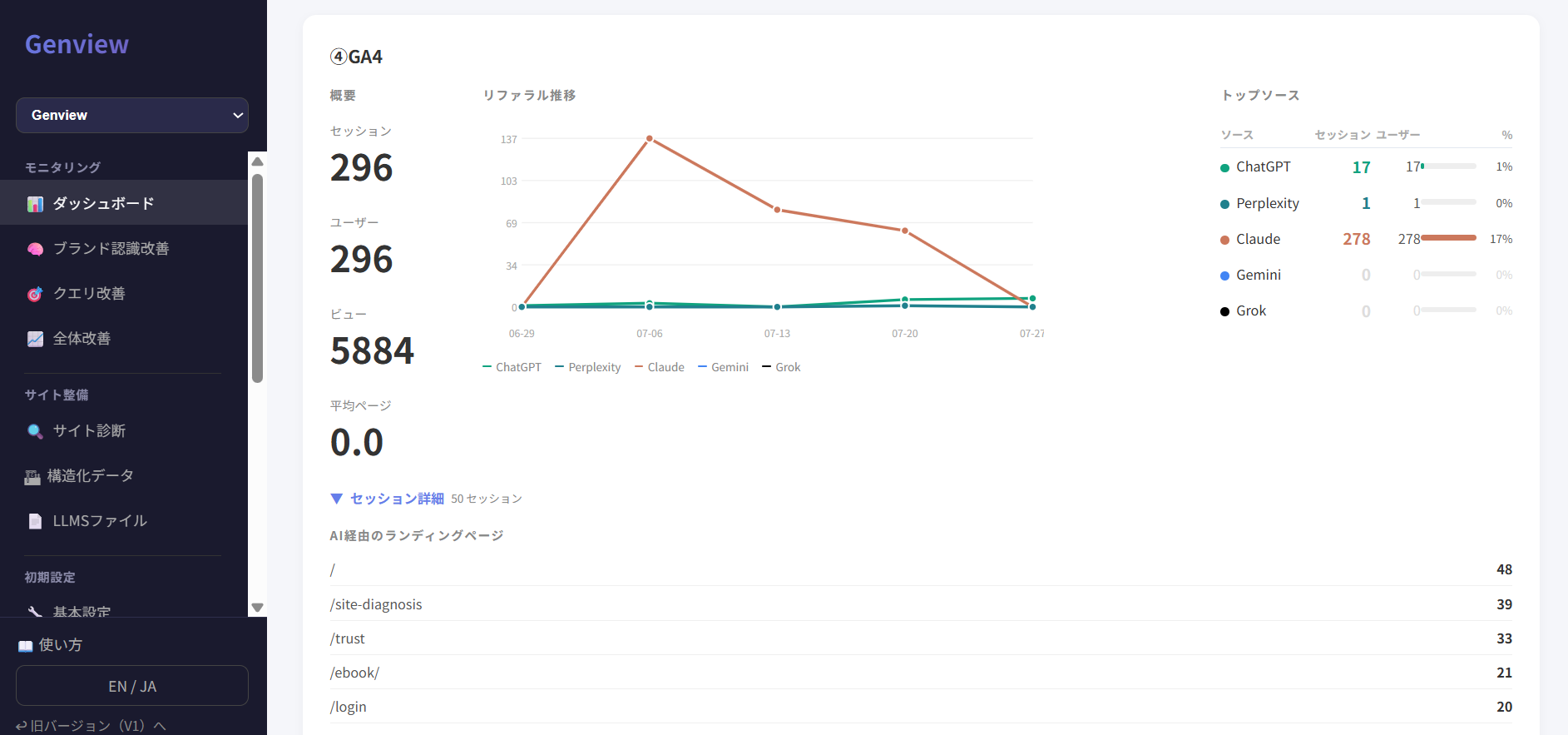
Sessions and users from AI
Based on GA4 data, see the number of AI-referred sessions, users, and pageviews over time.
②
Traffic by landing page
See which pages are receiving AI-referred traffic. Useful for identifying which content is worth strengthening.
③
Traffic by AI source
See which AI platforms — ChatGPT, Gemini, Perplexity, and others — are driving traffic to your site.
④
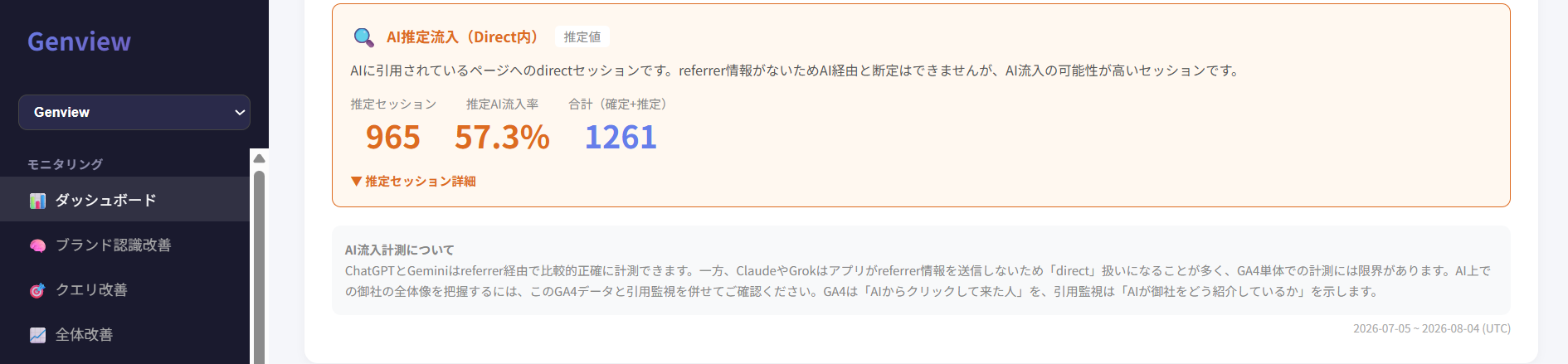
Estimated AI traffic
Some AI platforms (like Claude and Grok) don't send referrer data, so their traffic appears as "direct" in GA4. Genview surfaces this as estimated AI traffic for reference.
How to set it up
Connect your Google account and set a GA4 property ID for each monitoring target. No code or complex implementation required.
Step
Action
1
Connect your Google account from basic settings
2
Set the GA4 property ID for each monitoring target (find it in your GA4 property settings)
3
Confirm that GA4 traffic data appears on your dashboard
How to measure AI traffic (UTM parameters)
To have GA4 recognize traffic as "AI-referred" when an AI cites a URL from your llms.txt, add UTM parameters to those URLs.
When an AI introduces this URL to a user, GA4 will show the traffic source as "ai / llms_txt." It will also automatically appear in your Genview dashboard.
Notes
If you have multiple URLs, add the same string to all of them.
If a URL already contains "?", use "&" instead. Example: https://example.com/page?id=1&utm_source=ai&utm_medium=llms_txt
Estimated AI traffic fills the gaps
Some AI platforms (like Claude and Grok) don't send referrer information, so GA4 alone can't capture the full picture of AI-referred traffic. Visits from these AI platforms will appear as "direct" in GA4.
Genview uses direct traffic to pages that AI has been citing as a basis for displaying "estimated AI traffic" as a reference figure. With both confirmed and estimated AI traffic visible, you can take a broader view of AI-driven results.
* Estimated AI traffic is a reference figure and does not guarantee or confirm AI-referred visits. The scoring logic and display are continuously being improved as part of the current beta.
Using it alongside your GEO Score
GA4 Integration and your GEO Score answer different questions.
What the GEO Score answers
How is AI introducing your brand?
Quantifies AI recognition, citation, and recommendation
What GA4 Integration answers
How many people actually arrived from AI?
Makes actual traffic and outcomes visible
When numbers aren't moving, combining both helps you pinpoint the cause.
GEO Score is low
AI isn't introducing you in the first place. Fixing AI recognition through Improvement Strategies and GAP Analysis should come first.
GEO Score is high but traffic is low
You're being introduced, but visits aren't following. Review how you're described and the context of the links AI is sharing.