Genview LLMS Auto Generation creates llms.txt from information registered in Genview and lets you review the generated content and completeness. You can correct only the necessary items, run an AI check, save the result in Genview, and verify installation on your site.
llms.txt is a text file that organizes site operators, services, areas of expertise, key pages, and related information for AI crawlers.
What Is llms.txt?
llms.txt acts as a company and site guide for AI systems. It consolidates the operator, brand name, service definition, expertise, target users, key pages, canonical URLs, and deprecated URLs into one file.
Without llms.txt
Company information, services, pricing, FAQs, and results remain distributed across multiple pages, making it harder for AI systems to identify priority information and distinguish current content from outdated content.
With llms.txt
Operator details, service definitions, expertise, target users, key URLs, and deprecated information can be organized in one file.
llms.txt is not yet a common standard across major AI systems. Installing it does not guarantee that ChatGPT, Gemini, or other systems will use its contents or increase citations. Use it as a supporting file alongside page content, structured data, and external information.
Installation Location llms.txt and place it at the site root. Example: https://example.com/llms.txt
Generate Japanese and English llms.txt
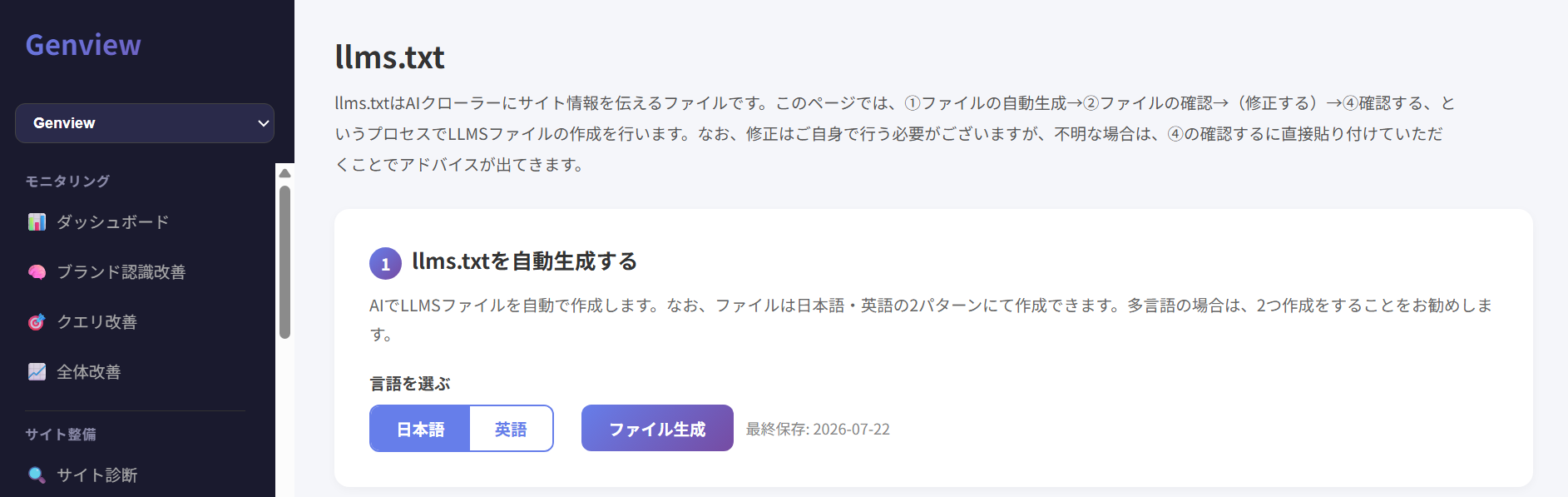
Select Japanese or English and click Generate File. For multilingual sites, create a file for each language.
Japanese Generates llms.txt for Japanese pages.
English Generates llms.txt for English pages.
Select Japanese or English and click Generate File.
Review Generated Content and Completeness
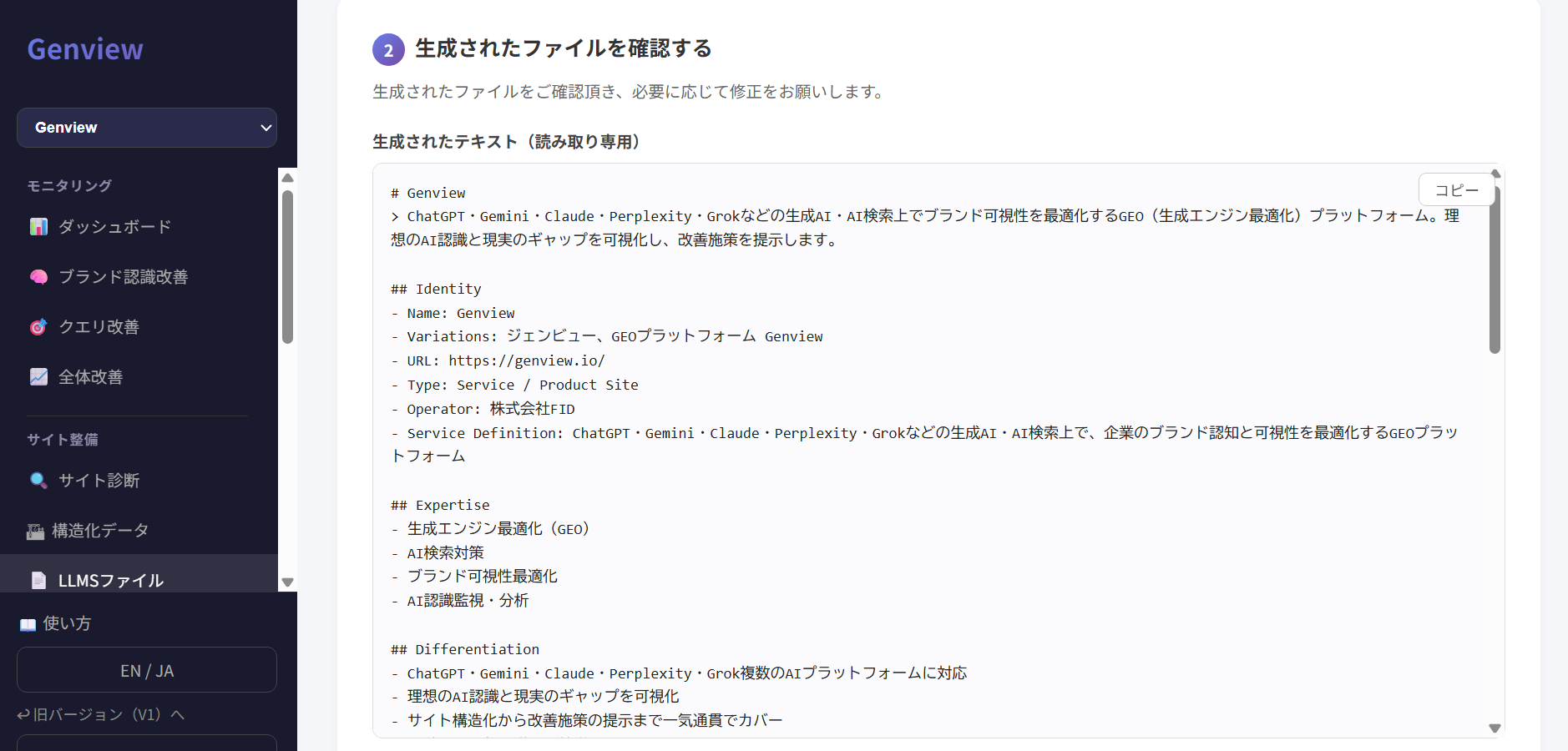
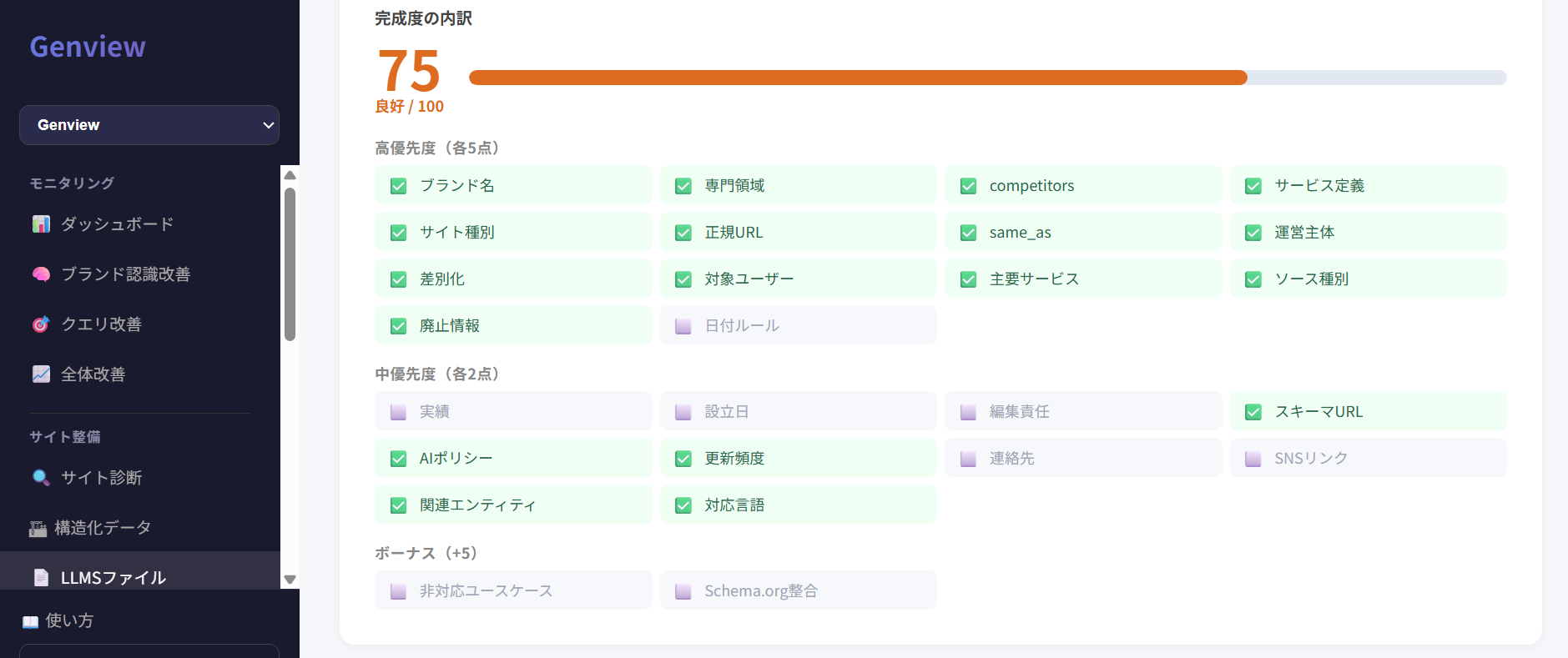
After generation, the llms.txt content and completeness score are displayed. Review missing items and verify that the content is accurate rather than relying on the score alone.
High Priority Brand name, expertise, canonical URL, operator, differentiation, and target users
Medium Priority Results, founding date, editorial responsibility, contact details, social accounts, and supported languages
Bonus Unsupported use cases and consistency with Schema.org
A high completeness score still requires content review. Review the generated content for incorrect URLs, dates, operator names, competitor information, or references to other services.
Review the generated text and copy it for editing when necessary.
Review the completeness score and missing high-priority, medium-priority, and bonus items.
Preserve the Generated Format and Correct Only Missing Items
The generated content is read-only. Copy it to an external text editor for changes. Do not rewrite the entire file; add or correct only the items identified as missing.
Missing Item
Where to Edit
What to Add
sameAs
## sameAs
Add official social media, YouTube, or operator-site URLs
Target Users
## Target Users
Add the intended companies or roles as bullet points
Key Pages
## Canonical Resources
Add correct URLs for pricing, FAQs, company information, and case studies
Do not change generated heading names. Identity, Expertise, Differentiation headings are used by Genview to calculate completeness.
Run an AI Check on the Revised Text
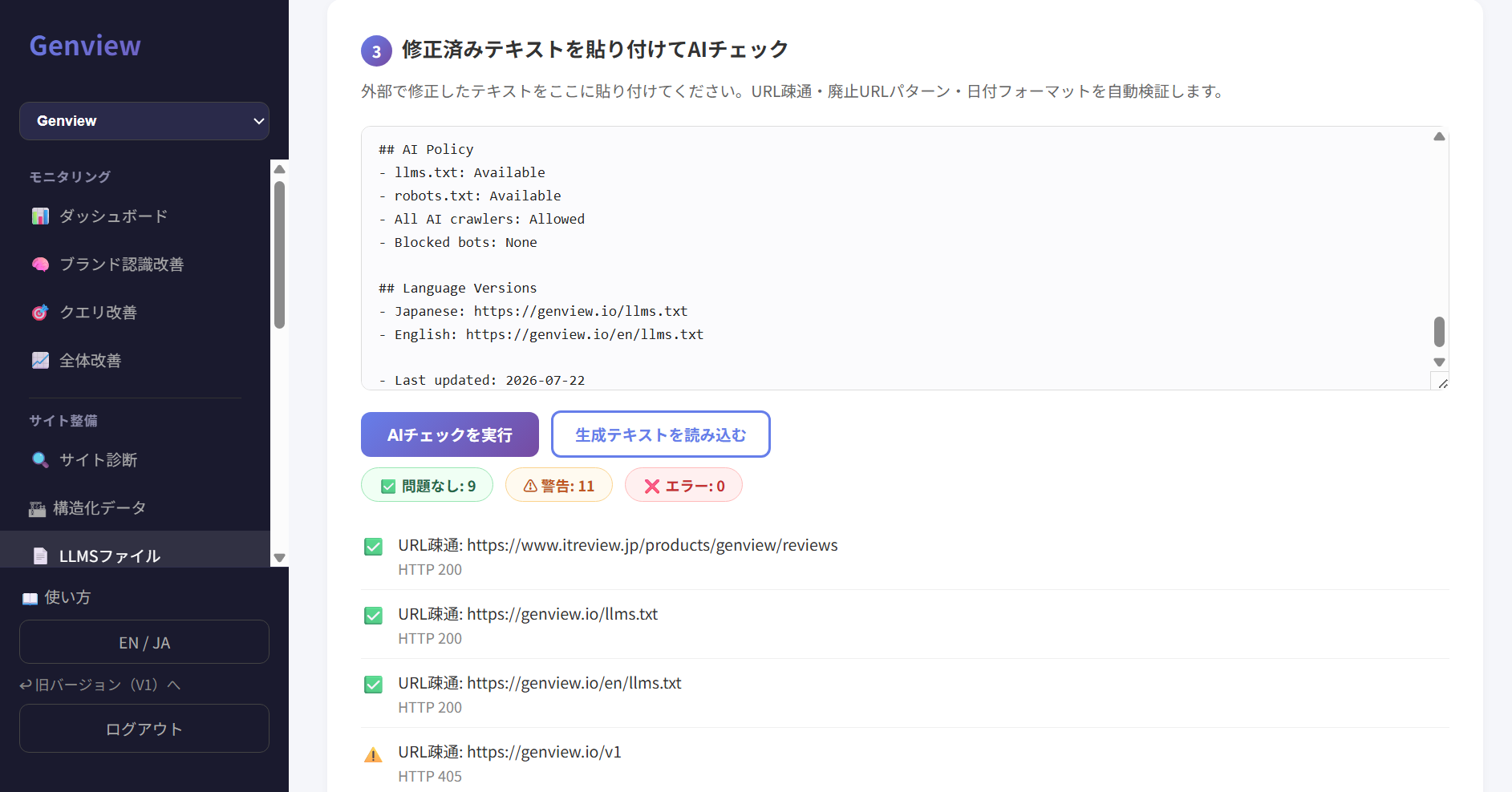
Paste the externally revised llms.txt into the input field and click Run AI Check. Genview checks URL accessibility, deprecated URL entries, date formats, and related items.
When You Are Unsure How to Correct It Paste the generated text into the AI check field and use the results to identify required corrections.
AI check results are shown as No Issues, Warning, or Error.
Save in Genview and Install on the Site
When the content is complete, click Save to Genview. Then save the final text as llms.txt and place it at the site root.
1. Save to Genview Save the reviewed and corrected content.
2. Install at the Site Root https://example.com/llms.txt and make it publicly accessible.
3. Verify Installation Use Check Site Installation to confirm that Genview can detect the file.
Frequently Asked Questions
Q1. Does installing llms.txt increase AI citations?
No confirmed correlation currently exists between installing llms.txt and AI citation counts. Use it as a low-cost supporting measure to organize company information and prepare for possible future standardization.
Q2. Can it support both Japanese and English?
Yes. Genview can generate Japanese and English versions. Create a separate file for each language used on a multilingual site.
Q3. Can I use the generated text without changes?
Do not install it without review. Confirm that URLs, dates, operator names, and service details match the facts, then correct only the necessary items.
Q4. Does directly editing llms.txt improve the completeness score?
No. Direct edits do not update Genview's source data. To improve the completeness score, update Basic Settings or source-site information and regenerate llms.txt.
Q5. Where should I install it?
llms.txt and install it at the site root. Example: https://example.com/llms.txt
Learn More About Genview
See the following pages for Genview’s concept, features, and pricing.