Genview is a GEO tool that starts by defining how you want AI to recognize you. That thinking is built into the setup order. Define your ideal first, design your queries, then start measuring. Work through these 3 steps in order.
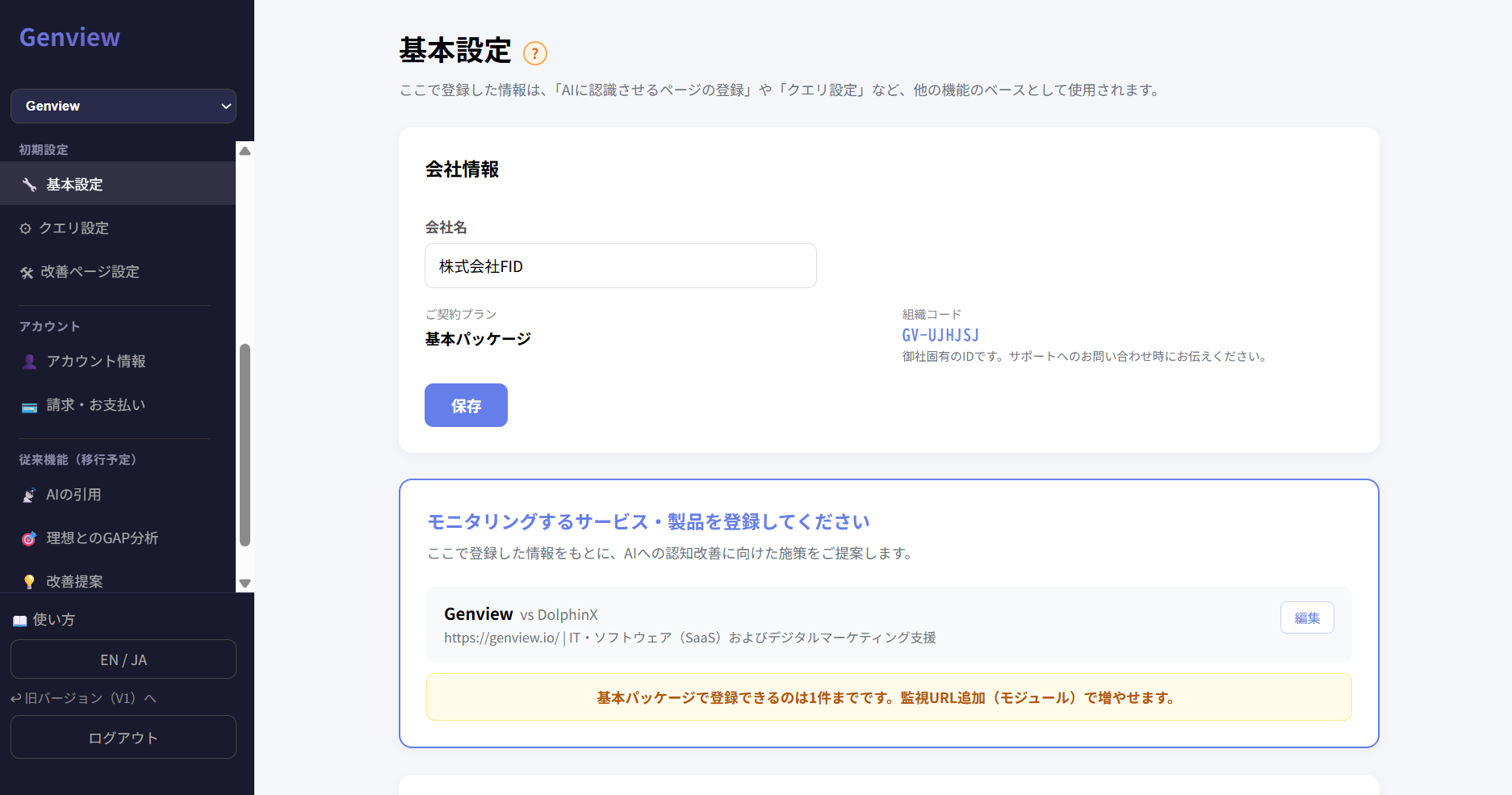
Step 1: Basic Settings — Start by defining how you want AI to recognize you
This is the most important step. Most GEO tools start with "how does AI currently see you?" Genview is different. You define your ideal AI recognition first, then measure the gap against reality.
If your ideal is vague, a score won't tell you what to improve. Your brand positioning input affects the accuracy of everything that follows — GAP analysis, query suggestions, and improvement strategies. Take your time here and fill it in carefully.
What to enter
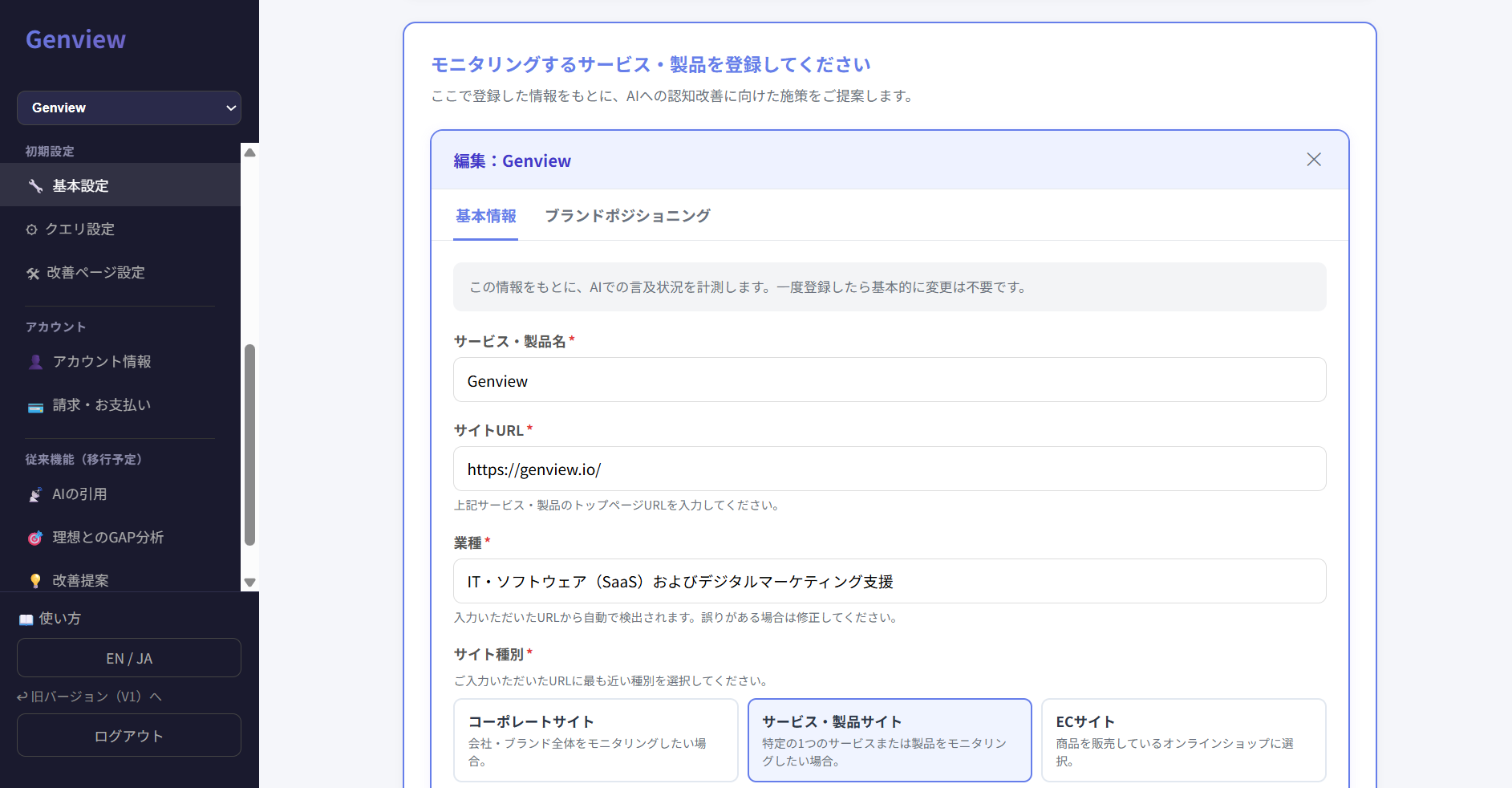
Service / product name: The name of the service or product you want to monitor
Site URL: The top page URL of the service or product
Industry: Auto-detected from the URL. Correct it if needed
Site type: Choose the closest match — service site, e-commerce, etc.
Competitors (up to 3): Entering competitors enables side-by-side comparison in AI responses. Recommended
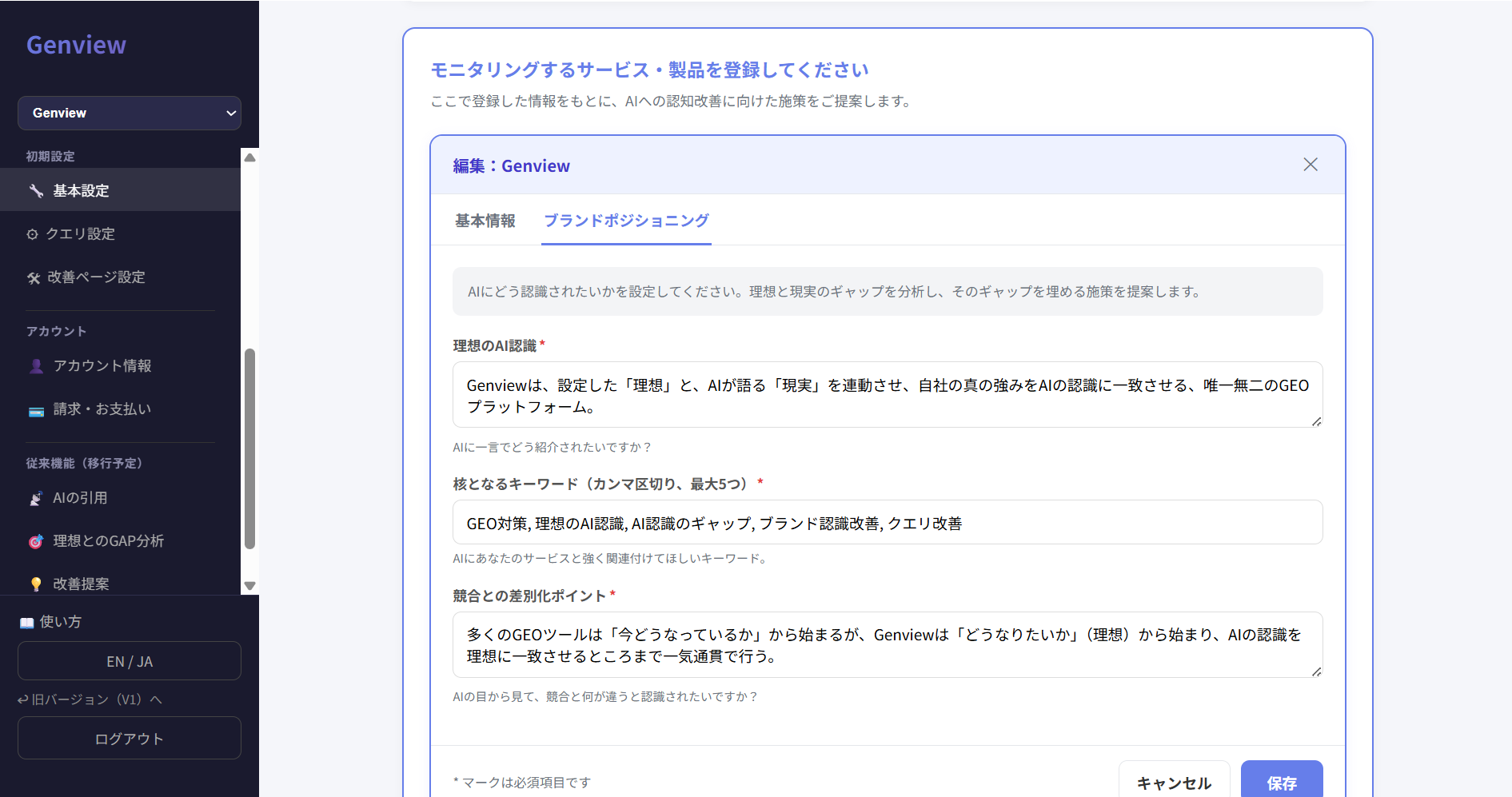
Brand positioning — the core of your setup
Enter your "ideal AI recognition," "core keywords," and "differentiation from competitors." Think of it as: if AI were to introduce your brand in one sentence, what would you want it to say? And compared to competitors, how do you want AI to see you as different? Answer those questions here.
What you enter here becomes the baseline for GAP analysis. The more specific you are, the clearer the gap with reality becomes.
GA4 integration (optional)
Entering a GA4 property ID enables AI-sourced traffic data to appear in your dashboard. Connect your Google account from the bottom of the basic settings screen, then set the property ID for each monitoring target.
Once basic settings are complete, click "Save and go to query setup →".
Step 2: Query Setup — Design your 9 queries
This step registers the queries you'll use to monitor when your brand gets cited or recommended by AI. A query is the question or phrase a user types into ChatGPT, Gemini, or another AI.
The key here is not to register only queries that include your brand name. The real question in GEO is whether you appear when someone who doesn't know you yet asks AI for a recommendation. That's the context you need to monitor.
Why 9 queries?
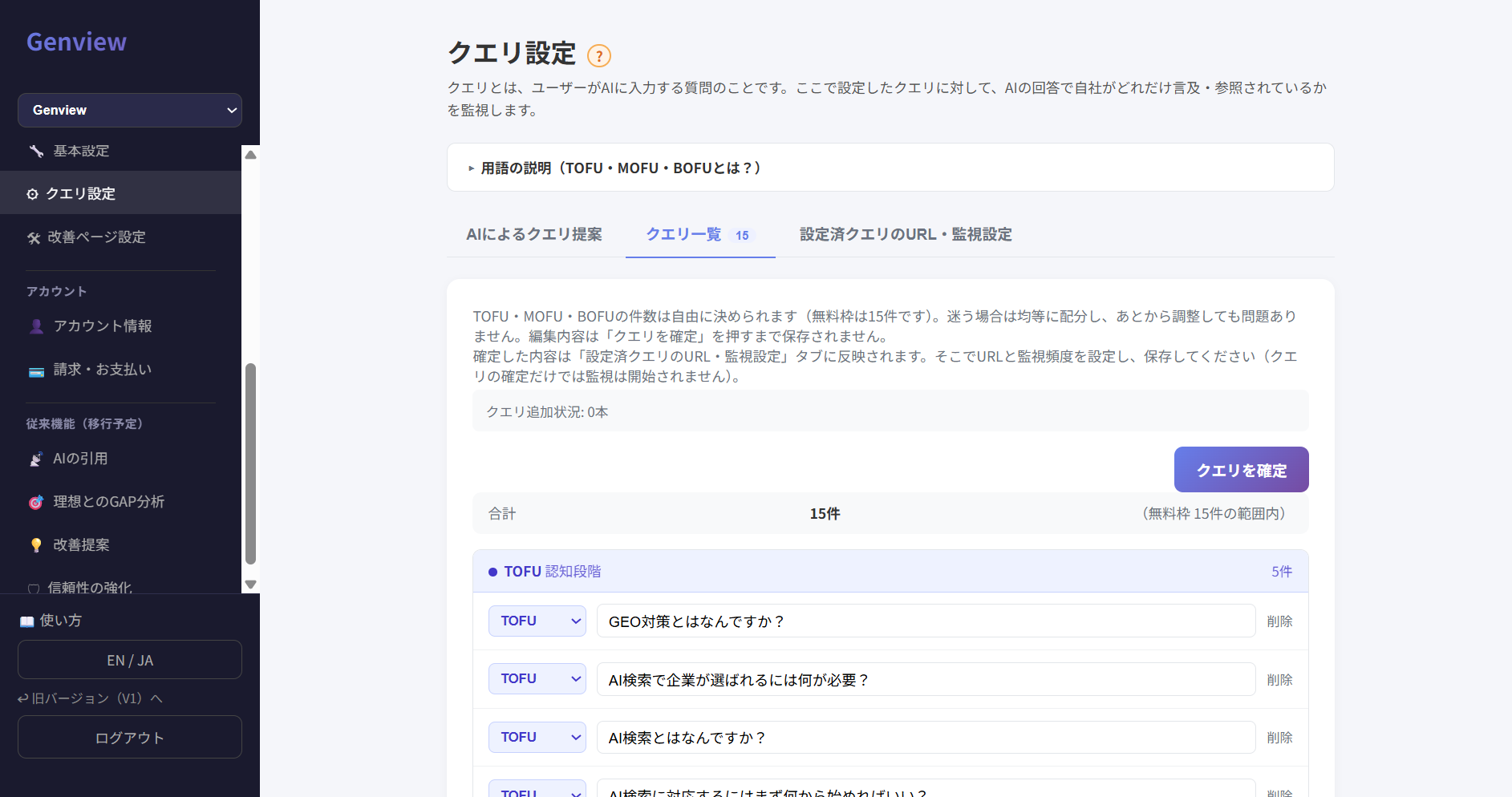
Designing 3 queries per funnel stage — ToFu, MoFu, and BoFu — lets you identify which stage your brand isn't reaching. A purposefully designed set of 9 gives you more actionable information than 100 unstructured queries.
Step 1: Confirm business information and select your target
Your service information from basic settings is already reflected here. Select your target audience (B2B or B2C), then click "Suggest 9 queries with AI."
Step 2: Review and edit AI-suggested queries
Genview automatically suggests 9 queries across ToFu, MoFu, and BoFu based on your service information. The suggestions are a starting point — edit them freely to match your business and customers. Once you're satisfied, click "Confirm."
Stage
Purpose and query examples
ToFu
Problem-awareness stage. No brand name needed. Check whether AI correctly explains the problem space your company addresses. Examples: "What is AI search optimization?" / "What is GEO?" / "Why doesn't my company show up in ChatGPT?"
MoFu
Solution-seeking stage. Check whether you appear as a candidate in the category. Examples: "How do I check whether my company appears in AI search?" / "What should I look for in a GEO tool?"
BoFu
Comparison and decision stage. Check whether you appear in the right context with the right strengths. Examples: "What are the best GEO tools?" / "What is Genview?" / "How is Genview different from other GEO tools?"
* You can add queries beyond 9 (¥1,000 / query / month).
Recommended: Genview's own query design as a reference
Here is Genview's own query setup. Adapt it to your business as a reference.
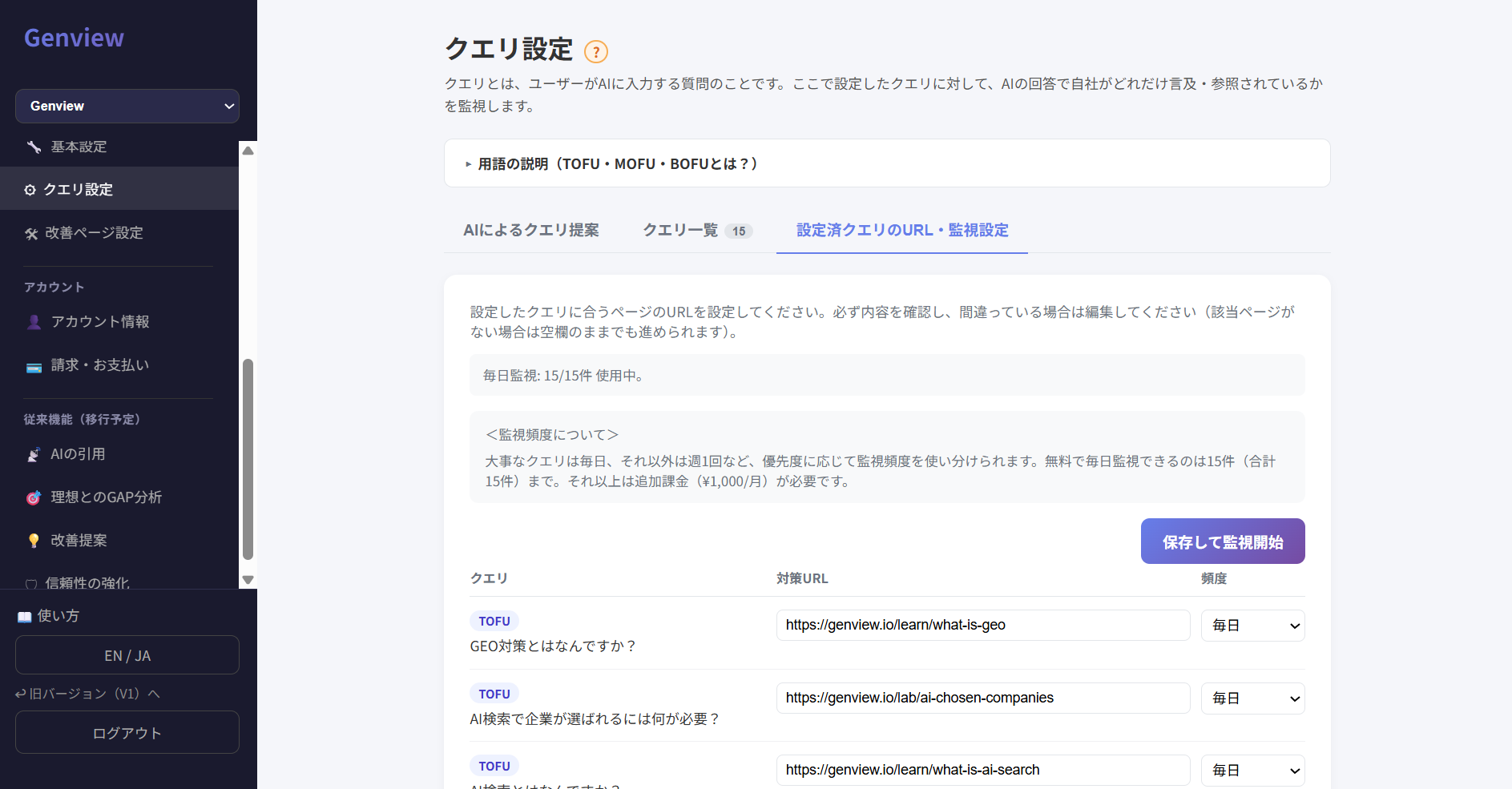
Step 3: Set target URLs and monitoring frequency, then save
For each query, set a "target URL" and "monitoring frequency." The target URL should be the page that most directly answers the query — not just a page you want cited, but the page where the answer is actually written. Leave it blank if no relevant URL exists. Once configured, click "Save and start monitoring."
About monitoring frequency
Up to 3 queries can be monitored daily (included in all plans)
Queries beyond 3 are automatically set to weekly
Additional daily slots can be purchased
Immediate data refresh after query changes (Pro plan)
Query changes normally take effect in the following month's batch. Pro plan users can trigger an immediate refresh up to 3 times per month. Existing improvement suggestions are retained.
Step 3: Trust Signals — Give AI the information it needs to trust you
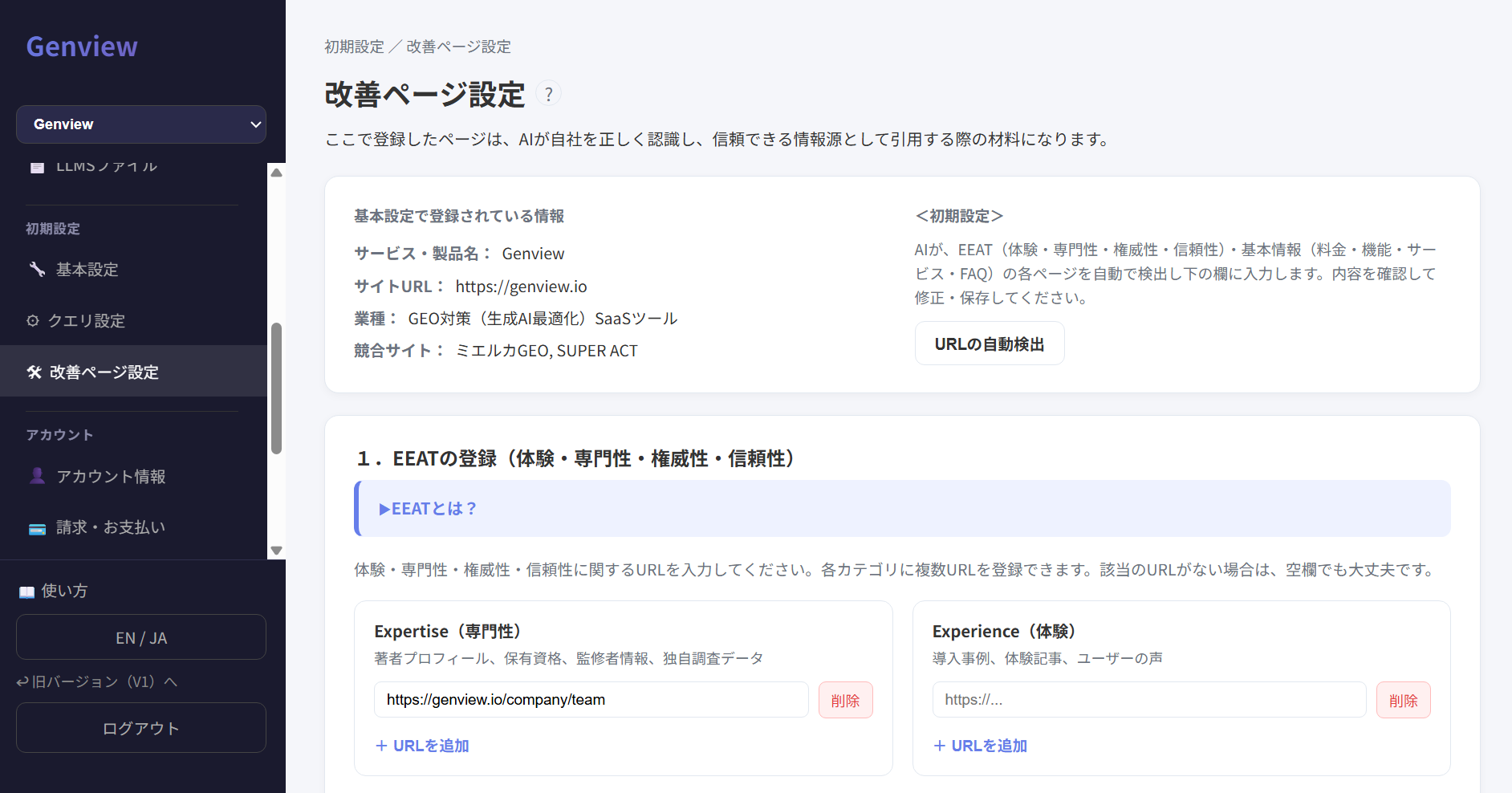
When AI recommends a company or service, it weighs track record, expertise, third-party recognition, and operator transparency. No matter how strong your service is, if that information isn't publicly available, AI doesn't know it. This step registers the trust signals AI can reference.
Key pages can be auto-detected from the service URL you entered in basic settings. Review the results and correct anything that's wrong.
E-E-A-T evidence input
Register URLs that demonstrate expertise, experience, authority, and trustworthiness in each category. Multiple URLs can be added per category. Click "Save evidence" when done.
Category
Example URLs to register
Experience
Case studies, customer testimonials
Expertise
Author profiles, qualifications, credentials
Authoritativeness
Media coverage, awards, external mentions
Trustworthiness
Company overview, privacy policy, terms of service
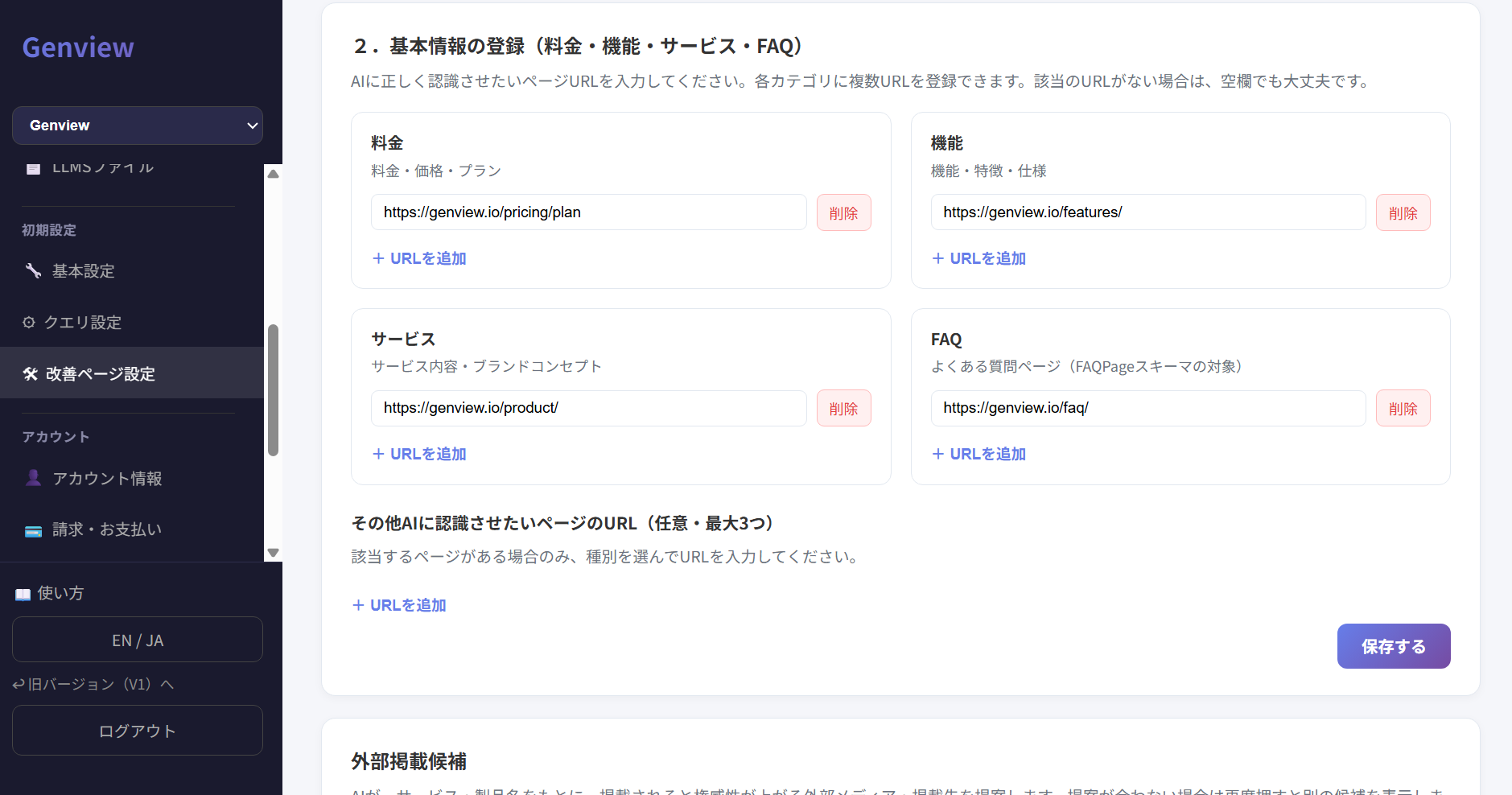
Key page registration
Register the URLs of your pricing, features, service, and FAQ pages — the pages you want AI to accurately understand. Pricing, features, service/solution, and FAQ slots are provided by default. Click "Save key pages" when done.
If applicable, you can optionally add schema-targeted pages (up to 3).
Type
Applicable pages
Event
Seminars, webinars
Course
Courses, educational content
VideoObject
Embedded video content
JobPosting
Job listings and recruitment
External media suggestions and trust check
Click "Suggest with AI" to get a list of external media and publications that would strengthen your authority if your brand appeared there. Click again for different suggestions. Genview's system automatically evaluates whether your E-E-A-T evidence and external media presence are sufficiently in place.
Once setup is complete
When Steps 1–3 are complete, Genview is ready to start monitoring and analysis. Check your dashboard to see your GEO score.
Check your score on the dashboard
See whether your registered queries are generating AI citations for your brand
Check whether you appear alongside competitors in AI responses
Review the GAP between your ideal AI recognition and reality